From Short-Form Video to Answering Customer Calls: 5 AI Tools
We picked tools that stitch photos into short videos, answer customer calls, and check whether your brand shows up in AI answers, along with a look at what is free and what it costs.
This time we picked five tools that cover short-form video editing, customer phone support, and checking how visible your brand is in AI search results. We also looked at tools that place outbound calls to customers and walk users through how to use a web service.
Templify AI: turn photos into short videos synced to the beat
Templify AI is an app that edits photos and videos into Reels, Shorts, and swipeable carousel formats. You can edit using ready-made templates, and the BeatSync feature cuts footage to match the rhythm of the music. There is also a feature that generates new videos and images with AI. It is worth a look if you want to bundle travel photos into a short video or cut a product clip to music. It runs on iPhone and iPad, Macs with Apple M1 or later, and Apple Vision.
Image: Templify App official site
The app is free to download, but some features require in-app purchases, and there is also a paid subscription called Templify Pro. The app interface supports Korean. According to the privacy policy, it collects your email at sign-up and automatically gathers device information and usage records. The company also states that it uses third-party services for analytics and advertising.
Ody AI Business Phone: an AI that answers your shop’s calls
Ody AI Business Phone lets multiple staff members jointly manage the calls, texts, and voicemail coming into a business phone number. An AI agent answers calls and replies to texts, and it transcribes or summarizes conversations. You can use it to handle calls you miss while busy with shop work, or to let several employees review customer messages together. It supports web, Windows, macOS, iPhone, and Android.
Image: Ody official site
Paying through the web costs $19 per user per month (Starter), $33 (Growth), or $47 (Enterprise). Paying a year upfront brings those down to $15, $23, and $35 per month respectively. Every plan comes with a 7-day free trial, but you have to register a payment method first.
The iPhone app and web interface support Korean. That said, even when you switch the interface language to Korean, call transcripts and customer messages are not translated. Signing up requires identity verification with a photo of your ID, a selfie, and a mobile phone number. Call and text content can also be seen by other authorized team members. Call recording is off by default, and the responsibility for notifying the other party and obtaining consent when you turn recording on falls on the user.
AI Visibility by TruLata: does your brand show up in AI answers?
AI Visibility by TruLata is a web tool that checks how often your business name appears in the answers of various AI services. It sends the kinds of questions customers might ask to AI services and counts how often your business name comes up. It shows results by service, trends over time, and which competitors came up instead of your business. It is useful for brand managers who want to pinpoint which questions leave their name out.
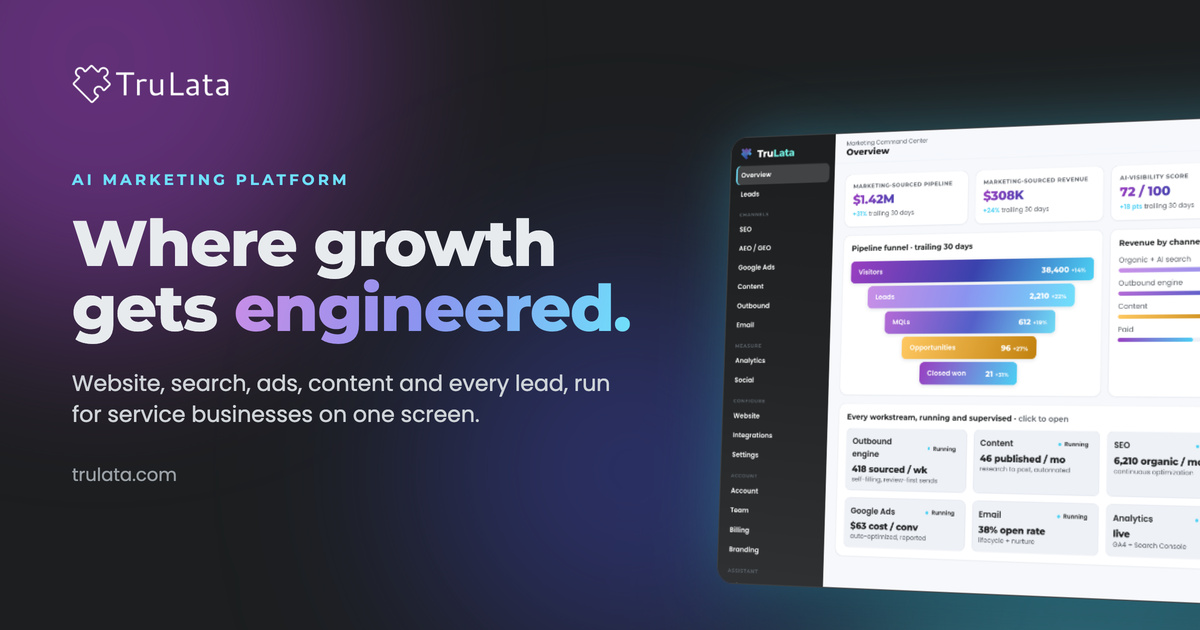
Image: trulata.com official site
The basic check, which only requires a website address, is free and needs no email. Enter your name and email and you get a more detailed report, also free. Paid plans run $399 per month (Starter), $649 (Launch), and $1,199 (Growth), while Command is quoted separately. If you receive the report by email, you may receive follow-up emails afterward. The company notes that even if you request deletion of your account data, security-related activity and login records are retained for 12 months.
Insight7 Voice AI Agents: an AI that calls customers directly
Insight7 Voice AI Agents is an AI that talks to customers by phone on behalf of a company. It handles both inbound calls and outbound calls to customers. It processes bookings and payments, updates customer records, and when a situation needs a human, it hands over a summary of the conversation so far. It is worth considering if you need to make repeated appointment reminder calls or follow up with customers by phone. Beyond phone calls, it can be attached to websites, WhatsApp, text messages, and in-app chat.
The service charges per conversation or per resolved interaction. You have to contact the sales team for volume-based rates. The voice languages the company lists are English, Nigerian Pidgin, Yoruba, Hausa, and Igbo. The company states that it does not use conversation data for AI training, and that it masks personal and health information before encrypting it. The setting that tells customers they are speaking with an AI is on by default, and it can be turned off.
Aven App Agent: an AI that explains how to use your app
Aven App Agent answers user questions inside your service’s own interface and walks them through task steps. It draws on the help documents and pages you connect to it, and points out where in the interface a given feature lives. It can also explain pre-registered workflows step by step. Web service operators can use it to cut down on repetitive “where is that feature?” questions, or to guide users through multi-step tasks. The company offers both a developer tool for embedding it in a web service and a Chrome extension.

Image: Aven App Agent official site
The terms mention a 7-day free trial that requires registering a payment method. If you do not cancel before the trial ends, you will be charged for your selected plan. The data processed includes the contents of connected documents and repositories as well as user questions and AI answers, and this material may also be processed by outside AI vendors. The company advises against uploading personal or confidential information you are not authorized to handle, and notes that AI answers can be wrong.
These five tools each take over a different slice of the repetitive work in content production and customer support. Before adopting any of them, it is wise to narrow down the specific job you want to hand off and test it, then check what the cost looks like once the trial ends and what the data handling terms are. For use in Korea, consider not only whether the interface supports Korean, but also the quality of Korean-language conversations and the conditions for using the service in Korea.